Chapter 9
Month-end
Closing a month, catch-ups, journal entries and reopening.
Once a month, after all of the month's additions and changes are approved, an approver closes the month for each company. Closing posts the month's depreciation for every asset in every book, then locks the month. Anything entered afterwards goes in the next month.
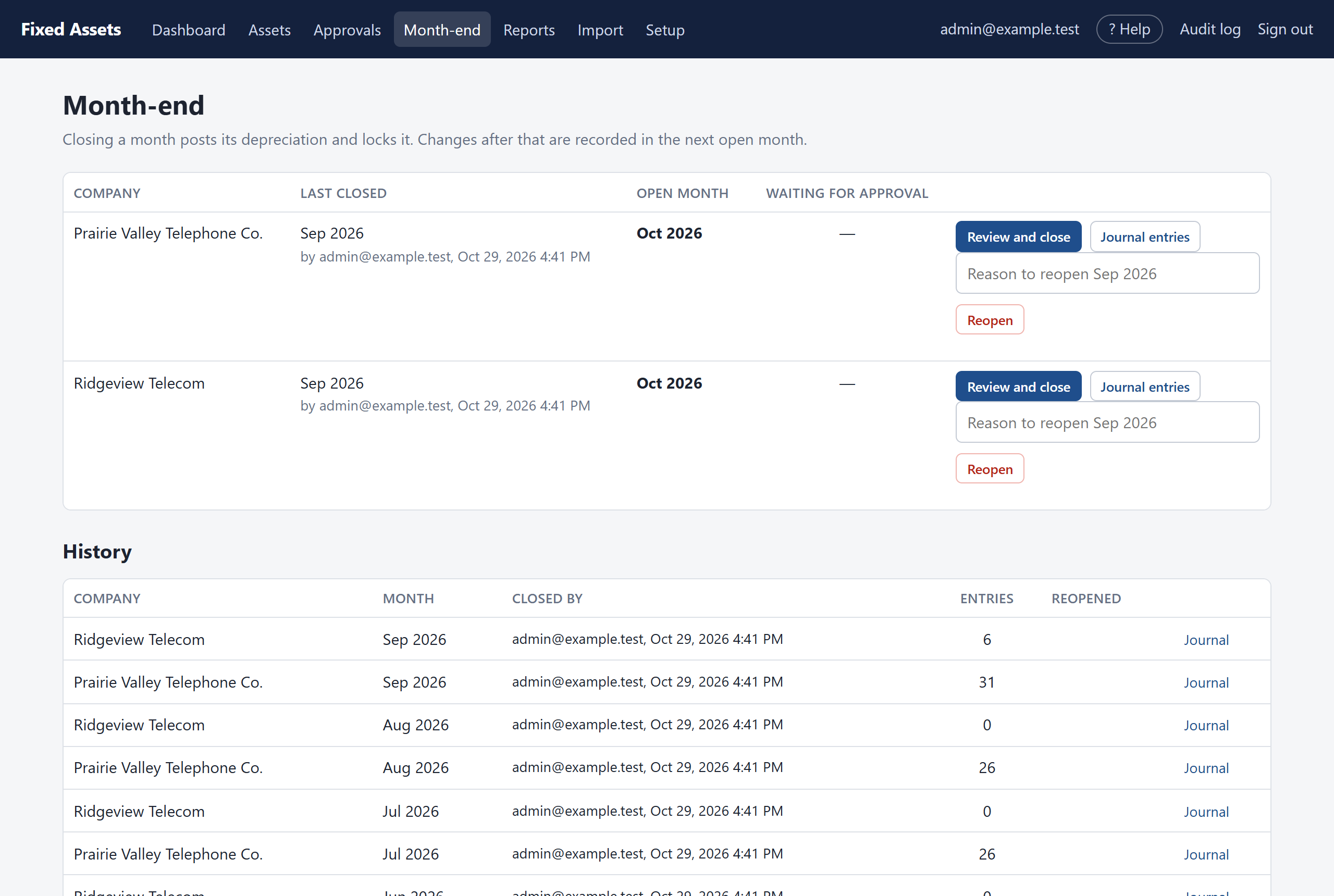
Closing a month
- Make sure everything for the month has been entered and approved. Check Approvals.
- Click Month-end, then Review and close next to the company.
- Look over the depreciation to be posted, by book and class, and any catch-ups (below).
- Click Close, and confirm.
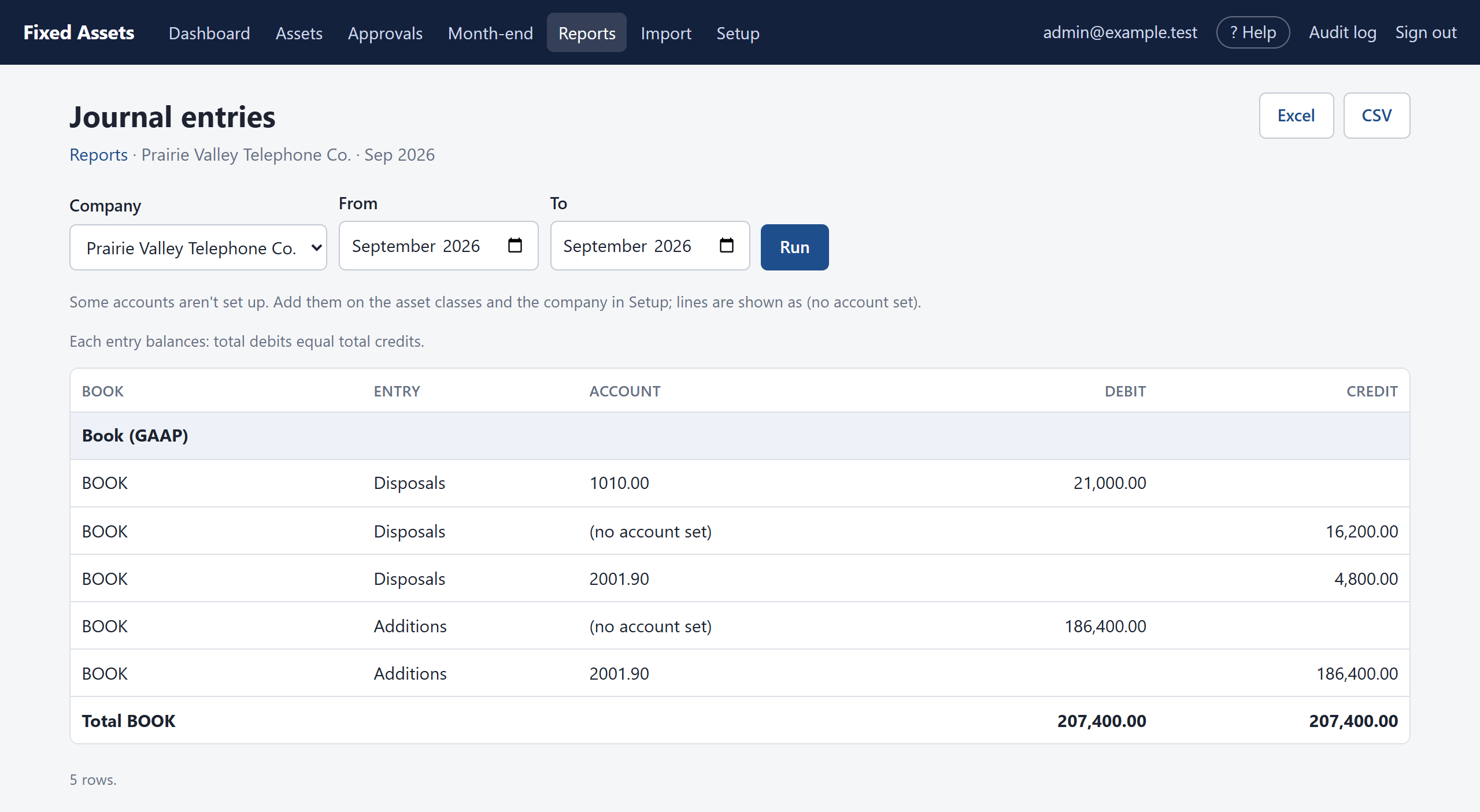
- Download the Journal entries for the month and post them to your general ledger.
- Repeat for each company.
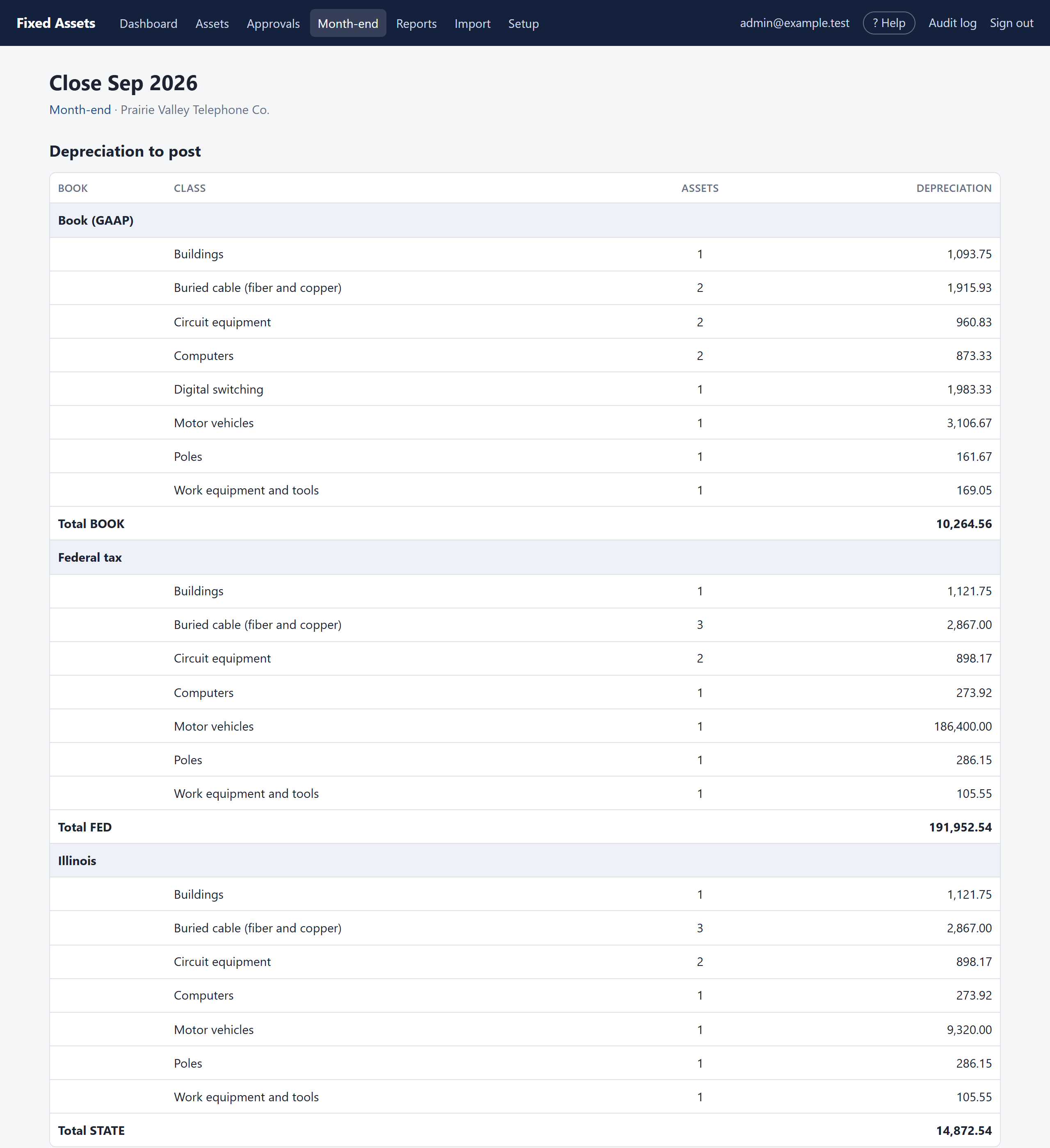
The program won't let you close a month that hasn't ended yet, or while anything for that company is waiting for approval. It tells you which.
Catch-ups and corrections
Most months, each asset gets its normal monthly depreciation. Sometimes an amount is different, and those assets are listed under Catch-ups and corrections:
- An asset placed in service in an earlier month but entered late catches up the months it missed.
- A disposal dated in a month already closed reverses the depreciation taken after that date.
- A correction (recalculate from the start) takes its whole effect.
- An opening balance that didn't quite match the schedule is settled.
Journal entries
From Month-end, click Journal entries to see the month's entries for the general ledger. They're built from the GL accounts on each asset class and company: depreciation, additions, disposals with their gain or loss, impairments and transfers. Each entry balances. Download them to Excel and post them, or key them in.
Reopening a month
If a month was closed by mistake, an administrator can reopen the last closed month from the Month-end page, with a reason. Its depreciation is removed and will be posted again when it is closed again. It is not possible to reopen a month once changes have been approved after it was closed, because those changes were measured against its figures. Correct things in the open month instead.