Chapter 10
Reports
Every report, what it shows and when to use it. All of them download to Excel.
Click Reports and choose a report. Pick the company, book and dates at the top, then click Run. Every report can be downloaded with Excel or CSV, or printed from the browser.
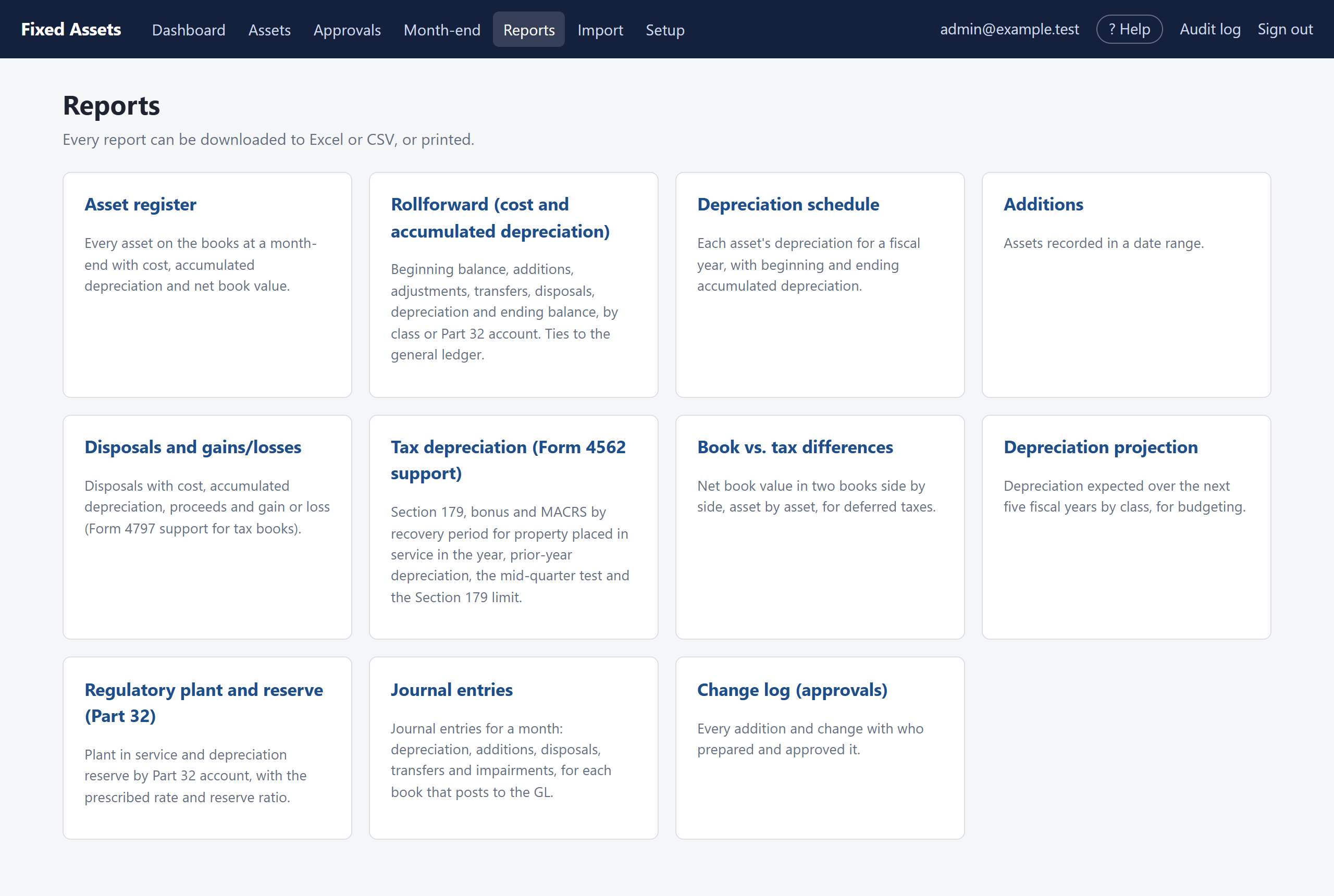
| Report | What it shows | Typical use |
|---|---|---|
| Asset register | Every asset on the books at a month-end, with cost, accumulated depreciation and net book value. | Year-end listing; insurance; physical inventory. |
| Rollforward | Beginning balance, additions, adjustments, transfers, disposals, depreciation and ending balance, by class or Part 32 account. | Ties to the general ledger; the auditors' lead schedule. |
| Depreciation schedule | Each asset's depreciation for a fiscal year with beginning and ending accumulated depreciation. | Supporting detail for the depreciation expense. |
| Additions | Assets recorded in a date range, with vendor, invoice and approver. | Capital spending review; testing additions. |
| Disposals | Disposals with cost, accumulated depreciation, proceeds, removal cost and gain or loss. | Gain/loss support; Form 4797 for tax books. |
| Tax depreciation | Section 179, bonus and MACRS by recovery period for property placed in service in the year, prior-year depreciation, the mid-quarter test and the Section 179 limit. | Form 4562 support for your tax preparer. |
| Book vs. tax | Net book value in two books side by side, asset by asset. | Deferred taxes. |
| Depreciation projection | Expected depreciation by class for the next five fiscal years. | Budgets. |
| Regulatory plant and reserve | Plant and reserve by Part 32 account with the rate and reserve ratio. | Regulatory reporting. |
| Journal entries | The GL entries for one or more months. | Posting to the general ledger. |
| Change log | Every addition, change and import with who prepared and approved it. | Auditors' review of controls. |
Examples
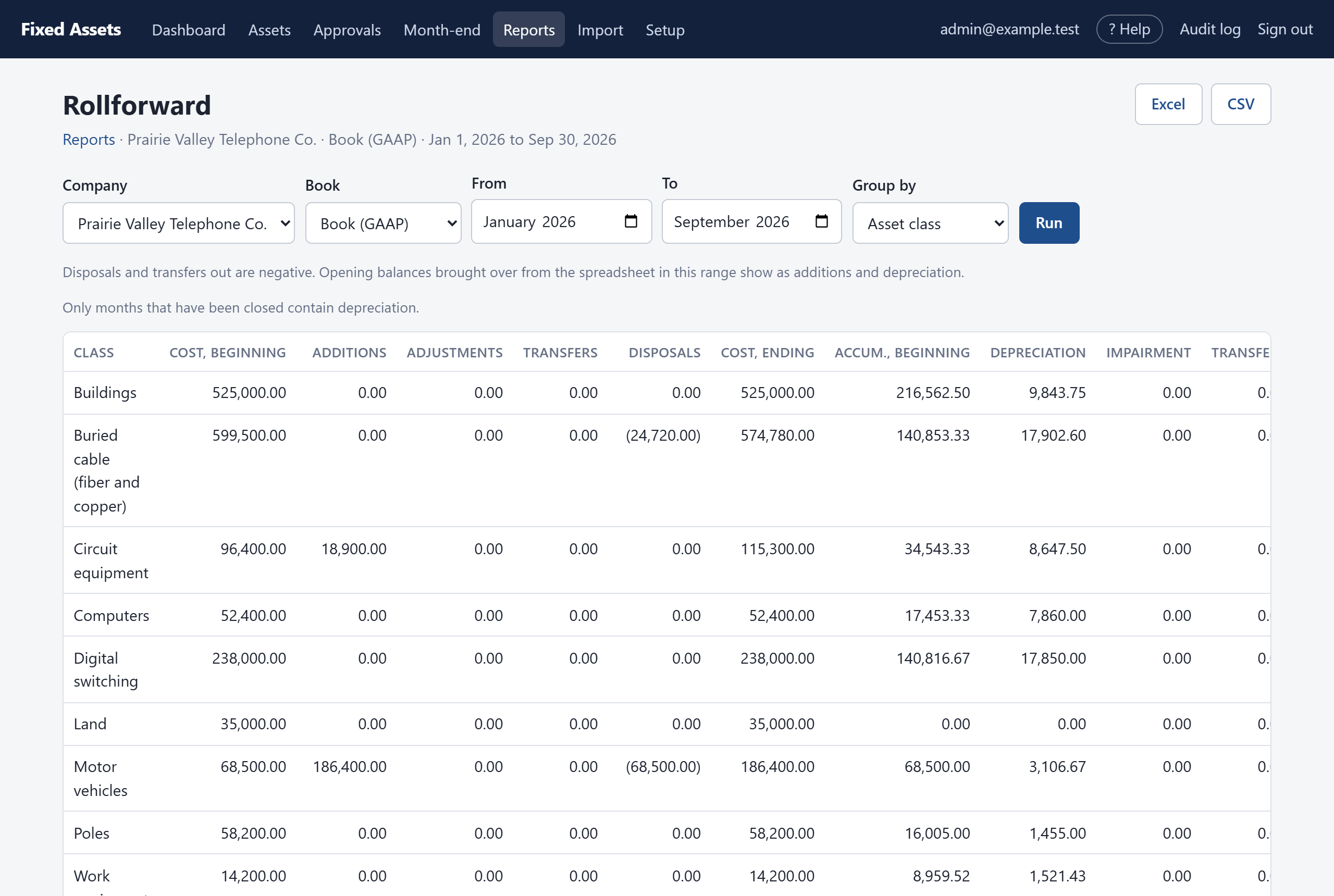
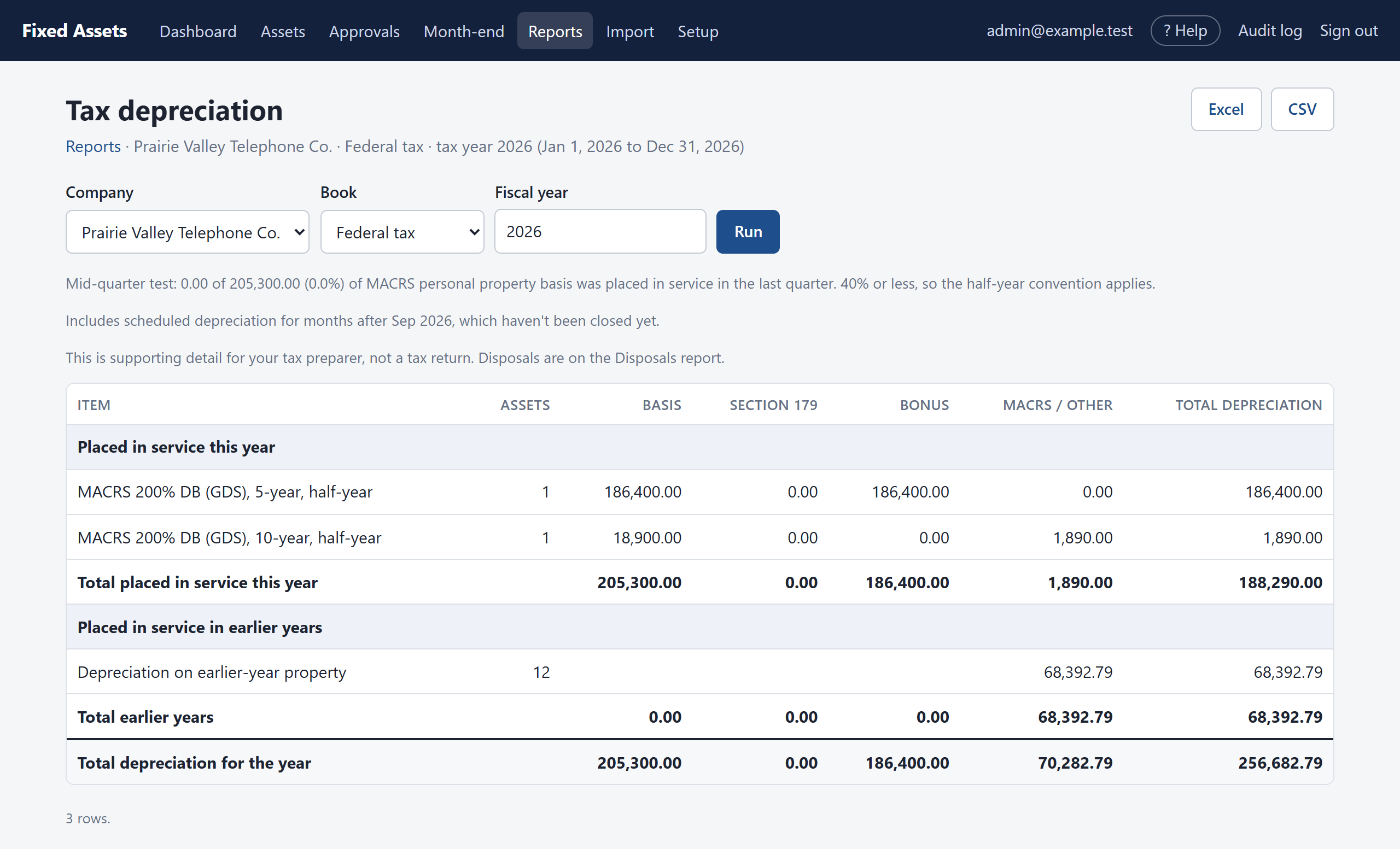
Things worth knowing
- Figures for months that haven't been closed yet aren't included in balances. Reports that look ahead (the schedule, tax report and projection) add the scheduled amounts for open months and say so in a note above the table.
- Click an asset number in a report to open the asset.
- Downloads are recorded in the audit log.
- The tax reports are supporting detail for your tax preparer, not a tax return.